Paper Trading with Thinkorswim, TradingView, and Interactive Brokers: The Ultimate Beginner's Guide
Introduction
Have you ever wished you could test your trading ideas—risk-free—before diving into the real markets? That’s exactly what paper trading lets you do! Paper trading with Thinkorswim, TradingView, and Interactive Brokers offers a safe and realistic way for beginners and pros alike to practice trading stocks, options, or other securities without using real money.
If you're new to investing, the idea of making trades without risking your savings probably sounds like the perfect place to start. Let's break down everything you need to know about paper trading on these popular platforms.
What is Paper Trading?
Paper trading means practicing buying and selling securities using virtual money—just like you’re trading for real, but without the risk. It’s like using a flight simulator before flying a real plane: you get experience, make mistakes, and learn, all in a safe environment.
For beginners, it's a golden opportunity to gain confidence and test strategies on Thinkorswim, TradingView, or Interactive Brokers before investing actual cash.
Step-by-Step Guide to Paper Trading
- Choose a Platform: Decide if you want to use Thinkorswim, TradingView, or Interactive Brokers for your paper trading journey.
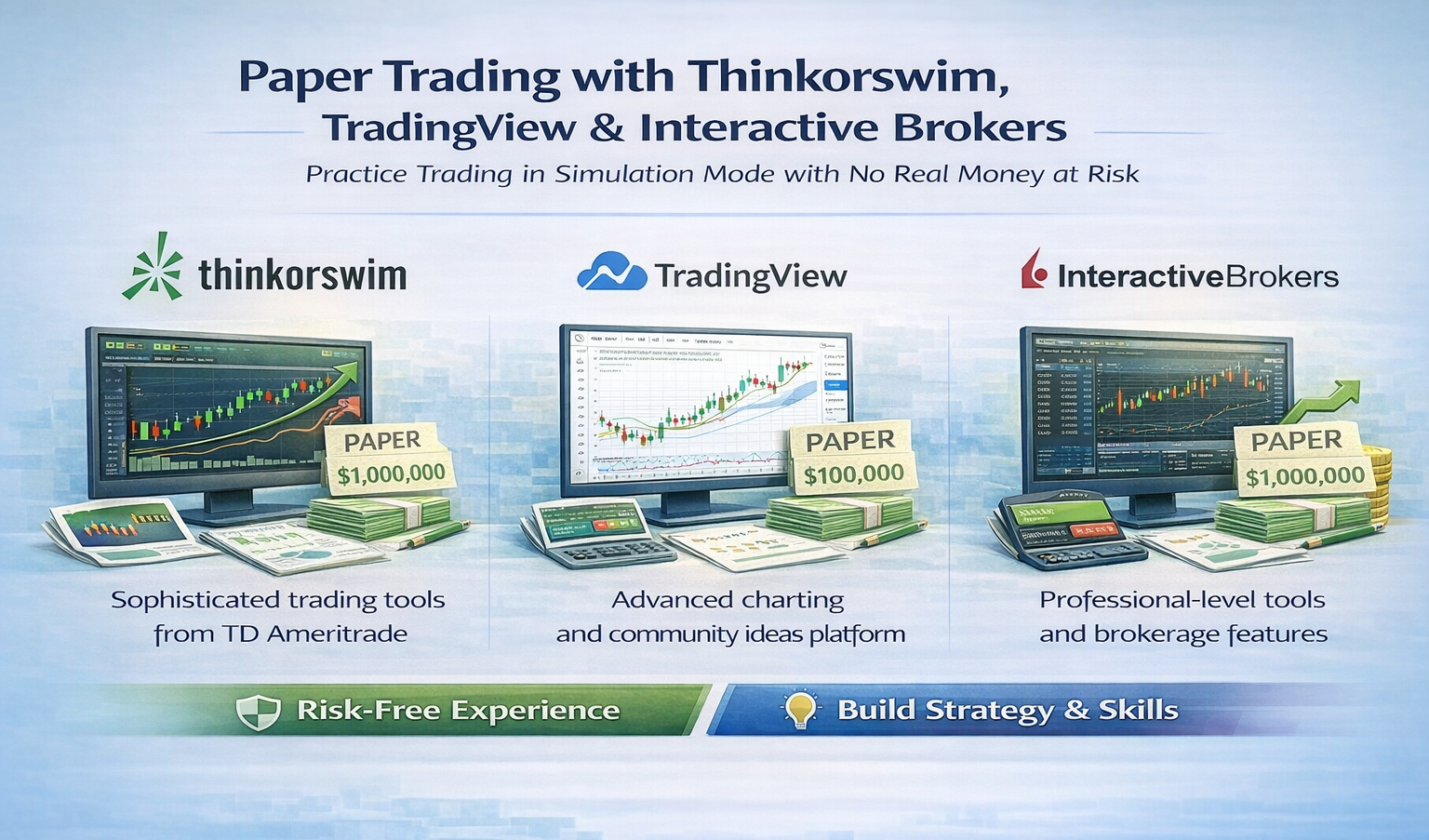
- Thinkorswim by TD Ameritrade: Advanced simulation features, great for in-depth practice.
- TradingView: Browser-based, easy to use, offers powerful charting tools and a friendly interface.
- Interactive Brokers: Provides a realistic simulation of its trading platform for stocks, options, and more.
- Open a Free Account:
- Visit the official website of your chosen platform.
- Sign up for a free or demo account (look for “Paper Trading”, “Simulated Trading”, or “Practice Account” options).
- Access the Paper Trading Feature:
- Thinkorswim: Download the desktop app. Log in and select the “paperMoney” login option.
- TradingView: Click “Trading Panel” at the bottom, then choose “Paper Trading by TradingView” and connect.
- Interactive Brokers: Log in to Trader Workstation (TWS) and switch to “Paper Trading” mode.
- Start Simulated Trades:
- Find a stock or asset.
- Click "Buy" or "Sell", choose your order type, and set your (virtual) strategy.
- Monitor your performance using the platform’s analysis tools.
- Review and Learn:
- Keep notes about your trades, wins and losses, and your decision-making process.
- Adjust your strategy based on what works—and what doesn’t.
Advantages of Paper Trading with Thinkorswim, TradingView, or Interactive Brokers
- Practice without risk—no worrying about losing your hard-earned money.
- Learn to use advanced trading tools and practice realistic order placement.
- Test multiple trading ideas and strategies in a real-market environment.
- Instant feedback through trade analytics and reports.
- Build confidence before committing real cash to the markets.
Disadvantages
- No “real” money at stake—sometimes it’s easier to take big risks you wouldn’t in live trading.
- Doesn’t fully reflect emotions or the stress of real trading.
- May not account for slippage, order delays, or liquidity during high volatility.
- Overconfidence can develop if you’re not careful.
Alternative Investment Options
- Robo-advisors: Let computers make investment decisions for you based on your goals.
- Mutual Funds & ETFs: Pool your money with others for diversified investing.
- Savings Accounts & CDs: For risk-averse beginners, these offer steady growth.
- Buy-and-Hold Stock Investing: Purchase stable companies and keep investments for the long term.
Beginner's Tips for Successful Paper Trading
- Act as if it’s real money—pretend those virtual dollars matter to you.
- Record your trades and review why you made each decision.
- Focus on learning, not winning every trade.
- Try different strategies to see what fits your style.
- Set clear goals and rules for yourself (e.g., only trade a set amount each day).
Advanced Variations for Experienced Traders
- Backtest strategies over years of historical data (Thinkorswim and TradingView both support this).
- Combine technical indicators and set up automated paper trading with scripts (TradingView’s Pine Script or Thinkorswim’s thinkScript).
- Simulate complex trades like options spreads or multi-leg strategies with Interactive Brokers or Thinkorswim.
- Practice risk management and portfolio balancing over time.
Frequently Asked Questions (FAQs)
Is paper trading realistic on Thinkorswim, TradingView, or Interactive Brokers?
Yes, these platforms replicate real market data and trading conditions, though you won’t experience the full emotional highs and lows.
Do I need a brokerage account to paper trade?
Thinkorswim requires a (free) TD Ameritrade account, TradingView just needs a simple sign-up, and Interactive Brokers requires account registration but you can start with a paper account.
Can I switch from paper trading to real trading?
Absolutely! Once you’re ready, you can open a funded account on any of these platforms and transition to live trading.
Which platform is best for beginners?
TradingView is very user-friendly for most beginners. Thinkorswim and Interactive Brokers have more features for those wanting to dive deeper into trading.
Conclusion
Paper trading with Thinkorswim, TradingView, and Interactive Brokers is the smartest way to start your trading journey. These platforms provide realistic, hands-on experiences that help you build confidence, learn from mistakes, and practice strategies—all without putting your money on the line. Whether you're just starting out or sharpening advanced skills, paper trading gives you the tools and knowledge you need for the real world of investing.
Ready to give it a try? Sign up with Thinkorswim, TradingView, or Interactive Brokers today and begin your practice journey risk-free!